
ShiftOS
The complete macOS productivity toolkit. Window snapping with 14 zones and FancyZones custom layouts. Clipboard intelligence with 200-item history, search, and starred collections. A window switcher with five view modes including 3D Tile and Aero flip. Finder integration, keyboard shortcut management, and system controls all in one menu-bar app. Built with SwiftUI for macOS 14+. Available now on the Mac App Store.
Digital good — see our refund policy.
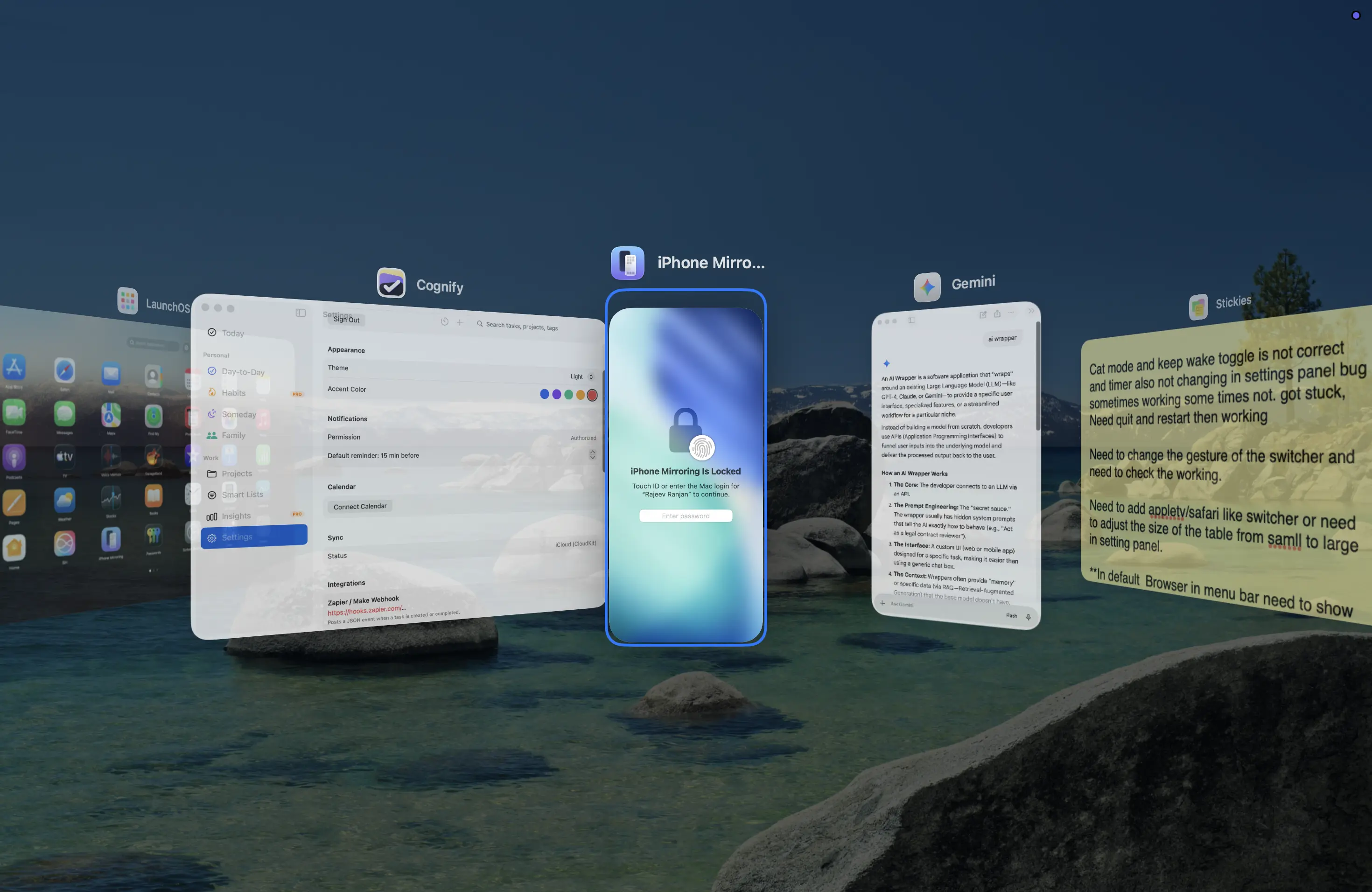
macOS is powerful but deliberately incomplete. Windows switchers reach for keyboard shortcuts that don't exist. Power users waste time hunting for the right window. Keyboard-first users are forced to grab the mouse for two-keystroke actions. ShiftOS fixes all of that in one app, without the tab-sprawl of five separate utilities.
What's inside
Window Snap Engine
- 14 built-in snap zones — halves, thirds, 2/3 splits, quarters, maximize
- Green button popup — hover shield suppresses macOS native tiling menu; ShiftOS replica card shows all 14 zones + Full Screen with native beak style
- FancyZones — visual drag-editor for custom layouts; Dashboard + Focus presets built in; per-monitor profiles; export/import .shiftos-layout
- Snap Groups — auto-detects windows snapped together within 3 seconds; restore or delete groups from Settings
- FancyZone stacking — multiple windows per zone; cycle with keyboard; occupancy tracking
- Win+Arrow equivalent — Option+Arrow snaps; fully remappable
- Undo snap — Cmd+Z restores previous window position (20-deep undo stack)
- Windows-style Dock minimize — click Dock icon to minimize; click again to restore to last snap position
Clipboard Intelligence
- 200-item history — open with Cmd+Shift+V (Win+V equivalent)
- All content types — text, rich text, images, URLs (with favicon + title), files
- Most Used — tracks copy and paste frequency; surface your top snippets instantly
- Smart dedup — identical copies merge; copy-count badge shows how many times
- Inline Markdown rendering — bold, italic, code, links rendered in the panel
- Starred collections — organise clips into named folders
- Privacy first — per-app exclusion list (1Password, banks etc.); encryption at rest; auto-clear timer
SwitchTab — Window Switcher
- Five view modes — Thumbnails, App Icons, Titles, 3D Tile, Aero
- Thumbnails — 340pt cards, live ScreenCaptureKit previews, 16:10 ratio, icon + title header
- 3D Tile (Pro) — iOS-style spatial card deck with real-time previews (300ms recapture loop), perspective stacking, 3-step depth setting
- Aero — Windows 7 Flip 3D replica; tilted cascading planes, spring-animated advance, cyclic deck
- Per-window — one entry per window, including minimized and every window of multi-window apps (e.g. all your Terminal tabs), MRU-ordered to match the Dock; synthetic entries for windowless apps
- Per-slot config — three independent shortcut slots each with their own view mode, Space filter, window order, and after-release action
- Blacklists — hide VMs and other apps by BundleID prefix; pre-populated with Parallels/VMware
- Live previews — ScreenCaptureKit + WindowServer fallback for minimized/occluded windows; graceful no-preview banner when Screen Recording not granted
- Action keys — W (close), M (minimize), Q (quit), H (hide), S (move to Space) while overlay is open
Finder & File Intelligence
- Native right-click → ShiftOS submenu — one branded entry holds Copy Path/Filename/URL/Markdown, New Text File, Open in Terminal, Open in New Window, Move To, Copy To, Make Symlink, AirDrop, Label Color, Advanced — all in a clean flat list
- Return key navigates in place — opening a folder with Return reuses the current Finder window instead of spawning a new one, so trackpad back/forward gestures keep working
- Shift+F10 — full menu — keyboard context menu (Windows equivalent) with arrow-key navigation and 1–9 number shortcuts; adds the actions that need system access (Git, Invert Selection, Run Shortcut) which the Finder extension sandbox can't run
- Cut and paste files — Cmd+X marks for move; Cmd+V pastes. Same muscle memory as Windows
- Git integration — status, diff, add, commit, push; Go to Repo Root; Show on GitHub
- Advanced ops — MD5/SHA-256 checksums, Make Executable, Lock/Unlock, Remove xattr, Flatten Folder
- Folder colour labels — 12 colour options persisted in iCloud Drive
Keyboard & Shortcut Intelligence
- Shortcut inspector — lists every registered global shortcut on the system
- Conflict detection + one-click rebind — detects ShiftOS vs system conflicts; suggests a free alternative; applies with one click
- Per-app profiles — different hotkey overrides per app (Video Editing, Coding, etc.)
- System toggles — Dark Mode, Grayscale, Low Power Mode, Night Shift, True Tone — all with configurable shortcuts
- Power management — Normal / Safe Sleep / Full Hibernate picker; auto-hibernate below a battery threshold
- App launch slots — 5 configurable global shortcuts to launch any app instantly
System Control
- Quick Settings — click the menu-bar icon for volume, brightness, Wi-Fi, Bluetooth, Dark Mode, Focus Mode, battery — all in one panel; tiles are user-configurable with drag-to-reorder
- Settings Search — search any macOS system preference by keyword; jump directly to it; star favourites
- OCR & QR scanner — select a screen region or use clipboard image; one-click Translate
- Keep Awake — prevent display sleep; timer (15 min / 30 min / 1 hr / 2 hr) or indefinite; a HUD toast confirms the active duration
- Auto-quit — close idle apps after a configurable timeout; protected-app list
- File Properties panel — floating panel shows size, type breakdown pie chart, and checksums; bulk multi-file mode
- Cat Mode — oversized cursor + scroll-to-zoom for presentations and low-vision use
- Settings backup — export/import all preferences as .shiftos-backup; iCloud sync across Macs
- TCC reset — reset any app's privacy permissions with one click
- Default Browser picker — optional menu-bar item; switch your system default browser in one click, no System Settings detour
Get ShiftOS
₹1,500
Digital good — see our refund policy.
- 🔒 Secure payment via Razorpay
- ⬇ Instant digital delivery
- ↺ See our refund policy
Questions? [email protected]
Reviews
No reviews yet — be the first to share your experience.